TiPhotoLocator for Windows
Description
TiPhotoLocator is a free and Ad-free application that allows you to geotag your favorites photos, and add other contextual tags.
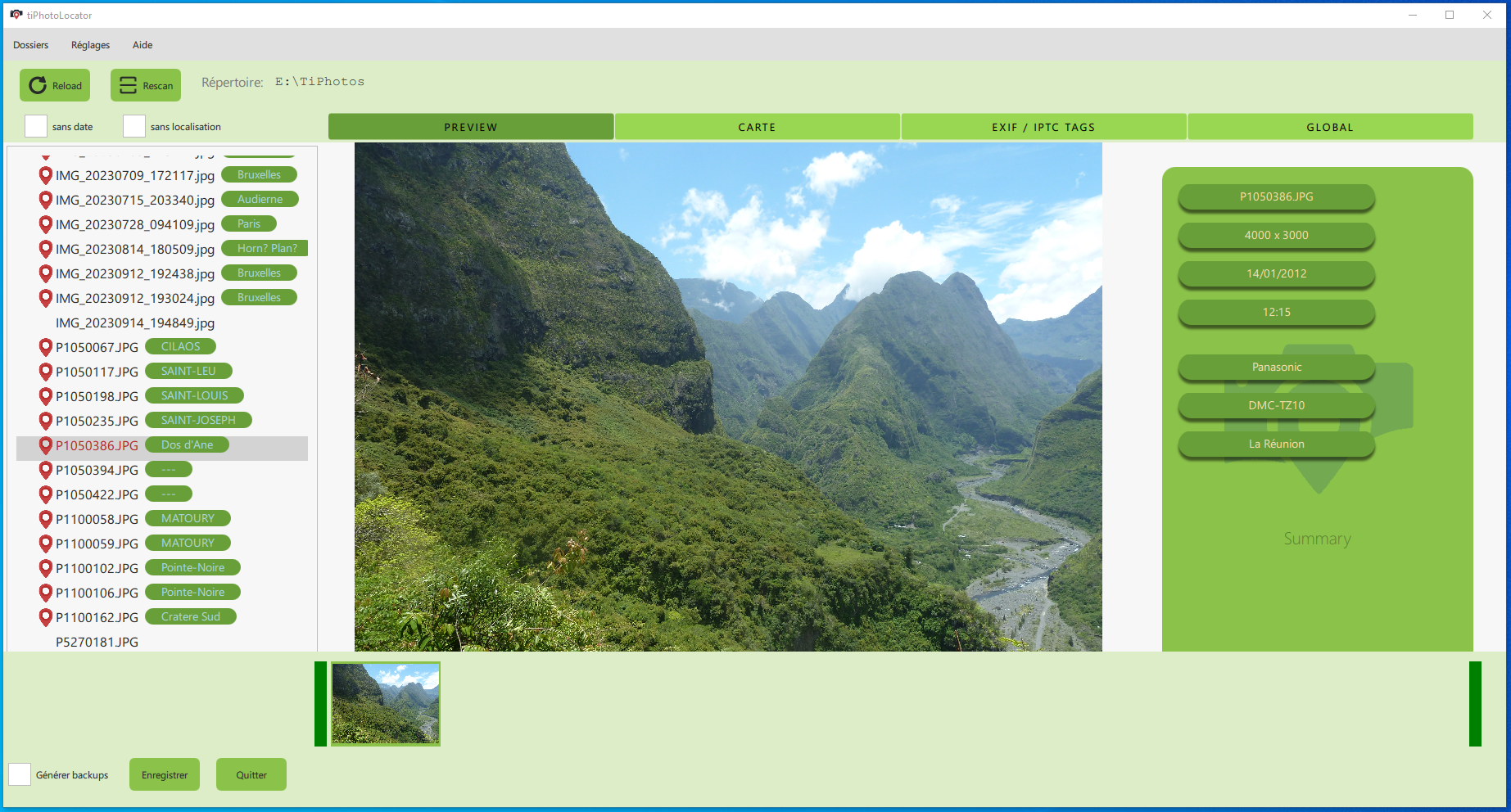
The PREVIEW page.
Presentation
TiPhotoLocator proposes several pages to manage the photos: a preview page of the picture and the main matadata, a map page for geographical metadata and a tag page for other EXIF and IPTC tags management.
Supported languages: English + French.
Geotagging Features
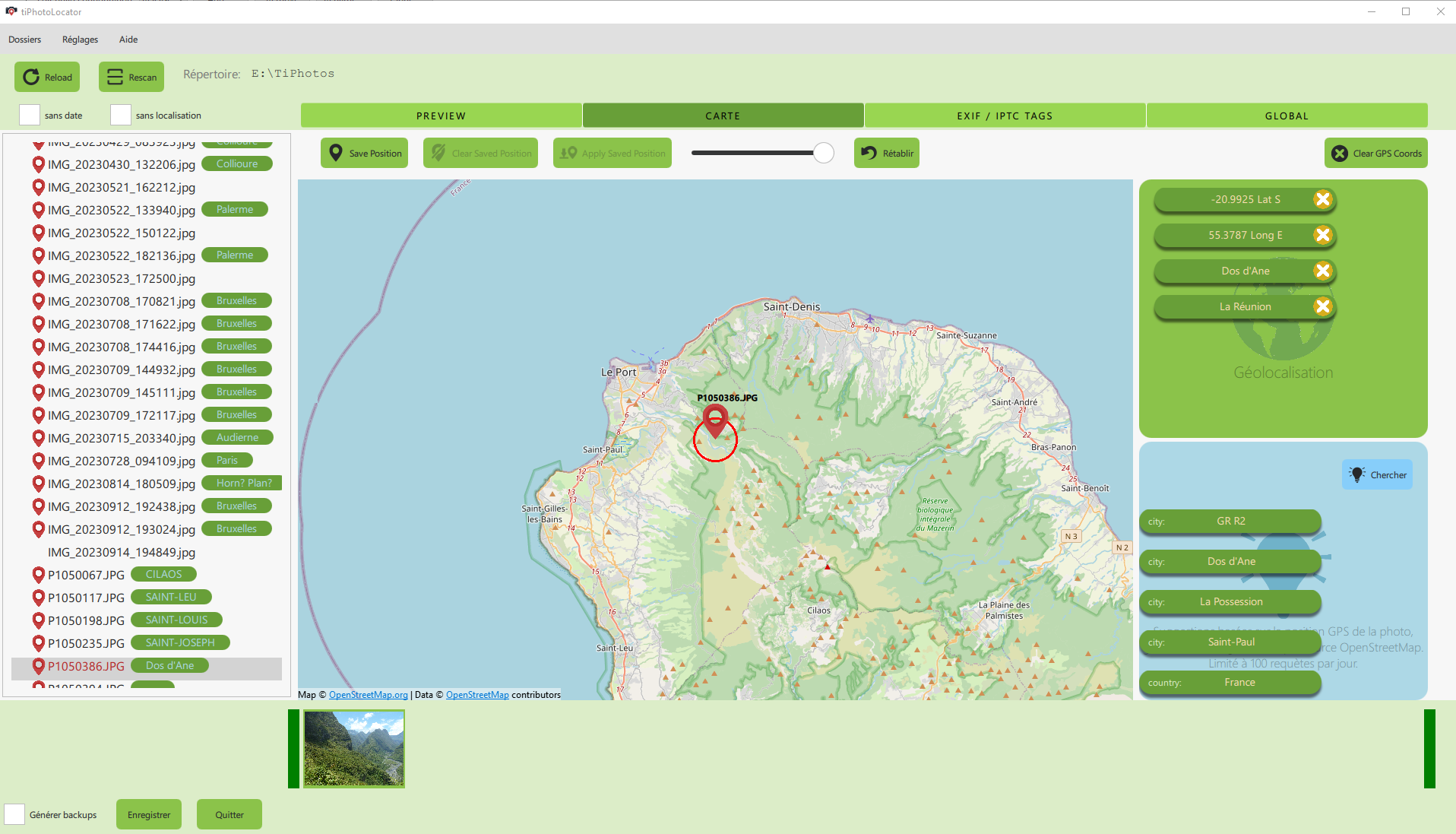
The MAP page.
With TiPhotoLocator, you can:
- set the GPS coordinates of your photo on a map
- Assign Geo tags to your photo(s): city, country, location (manually or using reverse geotagging).
- copy the coordinates of a given photo to other photos
- you can place your photo manually on the map, or ask the application to find the place by its name.
- At any moment, you can click on the thumbnail to see a larger photo.
Supported folder name is
YYYY-MM - Place (comments).
(Separators can be dot, space or dash)
Tagging Features
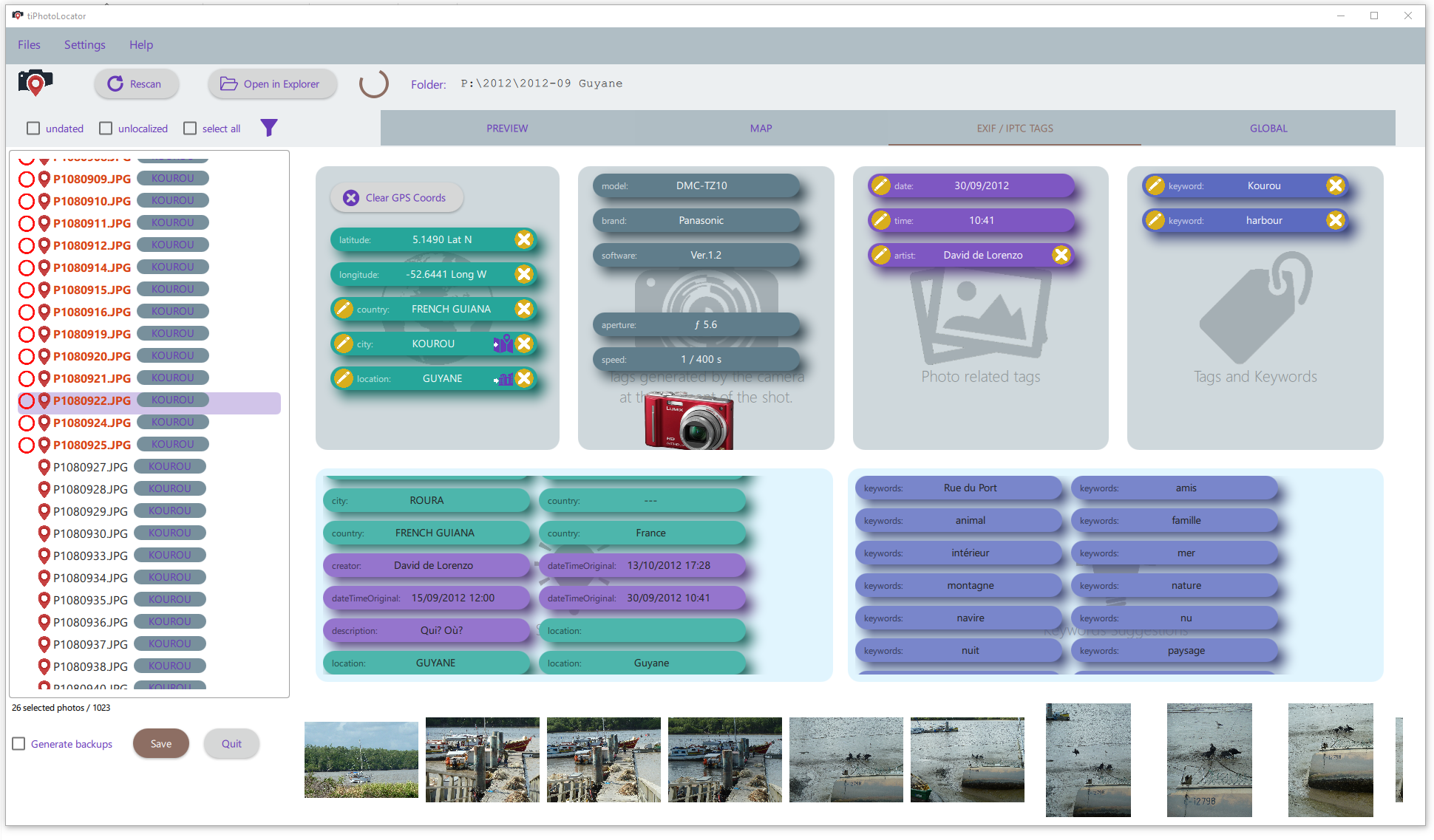
The TAG page.
With TiPhotoLocator, you can:
- see and edit the EXIF tags of the photo
- Assign new tags (keywords) to your photos, one by one or by group.
- Edit any tag and apply it the a photo or a group of photos.
- Many tag suggestions are proposed: based on your history and on folder name.
- At any moment, you can click on the thumbnail to see a larger photo.
Download
Get the latest release of the software by clicking here: “latest release”
Download the TiPhotoLocatorSetup.zip file, and unzip it in a folder on your computer. Then, just run the TiPhotoLocatorSetup.exe to install the program.
About me
Find my other softwares at GitHub.